
Missions
Missions give players objectives to complete during an expedition. Choose a mission, follow its objectives and earn resources on completion.
Work in Progress
Mission content, available domains and rewards may change as development continues.
The Mission Loop
The host selects the party's mission. Players follow its objectives in order until all requirements are complete, then receive the mission rewards.
          +-----------------------------+
          |      MISSION SELECTION      |
          |   Host chooses for party    |
          +--------------+--------------+
                         |
                         v
          +-----------------------------+
          |        START MISSION        |
          |    View active objective    |
          +--------------+--------------+
                         |
                         v
          +-----------------------------+
          |      FOLLOW OBJECTIVE       |<----+
          |  Locate the target or area  |     |
          |   Use map highlights when   |     |
          |          available          |     |
          +--------------+--------------+     |
                         |                    |
                         v                    |
          +-----------------------------+     |
          |     COMPLETE OBJECTIVE      |     |
          |    Meet its requirements    |     |
          |   Track progress on HUD     |     |
          +--------------+--------------+     |
                         |                    |
                         v                    |
                 All objectives               |
                    complete?                 |
                         |                    |
                         +--- No: Next stage -+
                         |
                        Yes
                         |
                         v
          +-----------------------------+
          |      MISSION COMPLETE       |
          |   View completion rewards   |
          | Resources added to profile  |
          +-----------------------------+
Selecting a Mission
Mission selection happens as soon as you join a party. Only the host can choose the mission for the party.
- The host chooses an available domain. Domains that are not available are shown as locked.
- The host can hover over a mission to read what it involves.
- The host selects the mission for everyone in the party.
- Players prepare their spell loadouts, then the host launches the expedition.
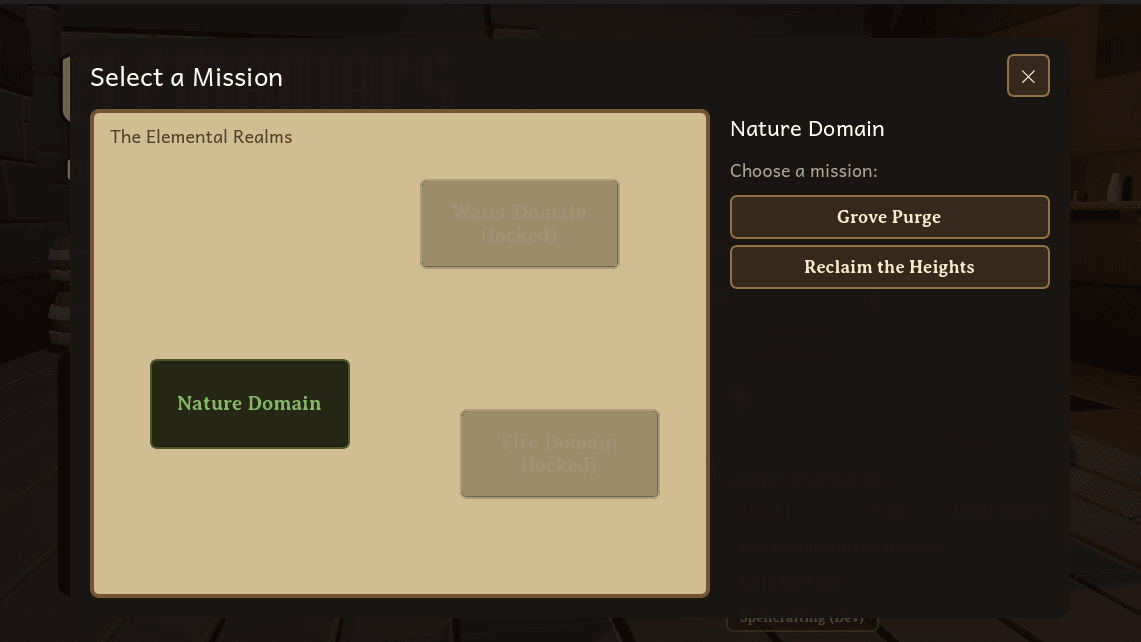
The host chooses a domain and selects the party's mission.
Completing Objectives
Each mission has its own requirements. Some ask players to defeat enemies across the map, while others require clearing enemies in a specific area.
Follow the active objective's instructions to find out which enemies count. For area-based objectives, enemies outside the target area do not contribute to that objective.
Missions can have multiple stages that must be completed in order. Completing the active stage reveals the next objective.
Tracking Progress
The mission tracker displays the mission name, active objective and progress.
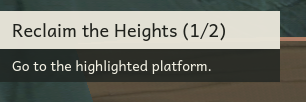
The tracker shows the current stage and what to do next.
| Display | Meaning |
|---|---|
| Mission title | The selected mission. |
| Stage indicator, such as (1/2) | The current stage and total number of required stages. |
| Enemy counter, such as 3/10 | Defeated enemies compared with the number required for the active objective. |
| Travel instruction | Approach the highlighted objective area. |
| Objectives complete | All required mission objectives have been completed. |
Follow the Active Objective
Some encounters only populate when players approach. Until the enemy total is known, the tracker shows a travel instruction instead of a defeat counter.
Using the Map
The minimap in the top-right corner shows the nearby area. Open the expanded map to see the wider level and locate highlighted objectives.
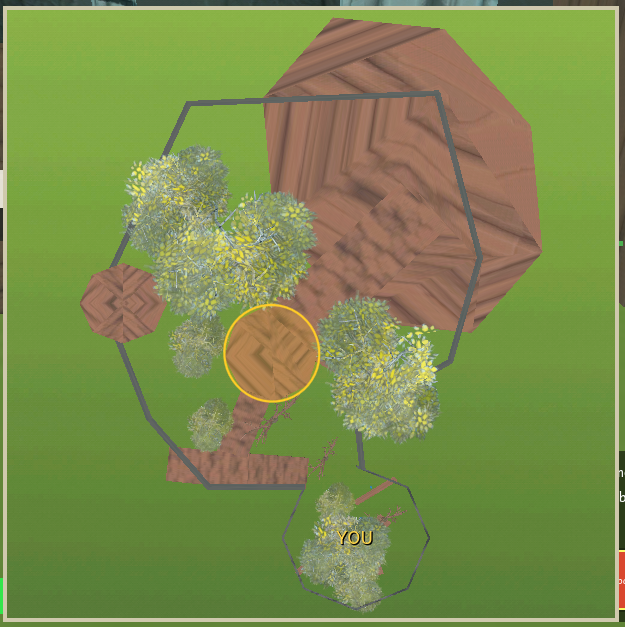
The highlighted area marks the objective. YOU marks your position.
| Control or Marker | Purpose |
|---|---|
| M | Open or close the expanded map. |
| Esc | Close the expanded map when it is open. |
| YOU | Identify the character you are controlling. |
| Highlighted area | Locate the active area-based objective. |
For missions with highlighted areas, the highlight updates as you progress to the next objective.
Completion Rewards
Completing a mission grants its configured rewards. The mission tracker displays the resources awarded after all required objectives are complete.
Refer to the spellcrafting materials section for possible rewards. Mission rewards currently use the same materials as mob drops and are subject to change.
In co-op, each participating player receives the same mission reward in their own saved resource balance. The payout is granted once per mission run.
Use collected essences for spellcrafting and preparing for future expeditions.